|
|
 发表于 2011-1-19 16:27:03
|
显示全部楼层
发表于 2011-1-19 16:27:03
|
显示全部楼层
来自: 中国上海
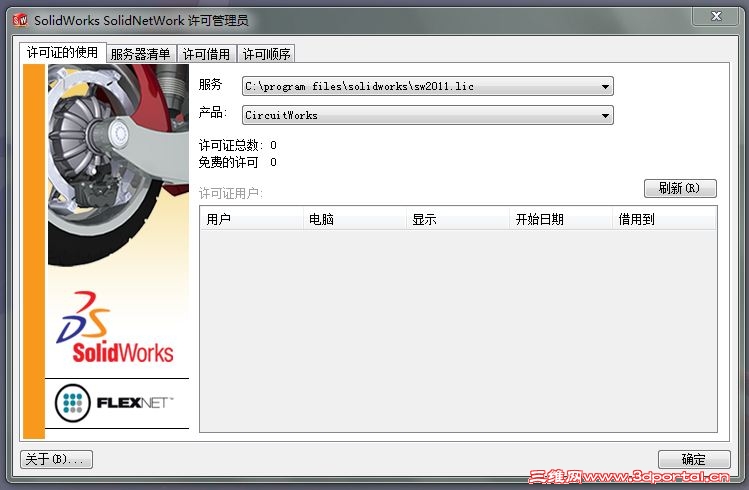
我是按照下面做的,存在问题呀$ j9 l6 o5 z! w" D
SolidWorks 2011 SPx.x x64 /Lz0! [7 {' i* f, J' y5 K5 _, k8 [
------------------------------5 H" Q) q; G! T$ \+ `4 s2 w/ v
1. Install Solidworks from ..\swwi\data\swsetup.exe with serial 9916 0657 0219 4742 HKJH 5HKF.
2 S n1 h0 t7 ~' Y- i It might talk about being superceded by sldIM. Ignore this.
- |2 g: j* M+ v3 Q Dismiss any prompts to add a license server.
5 o2 E7 V( {! v* U2. Copy ibfs32.dll to windows\syswow64\
3 z9 Y0 Y" e7 G- D3. Import lz0-sw2011.reg to registry." y+ t, Z A" U( n
4. Copy sw2011.lic and lz-solidworks11x64.exe to C:\Program Files\Solidworks\: v$ i: z# b: O- S6 r2 i
5. Run lz-solidworks11x64.exe (Run as admin required on Vista/win7)" k& ]8 L0 H( h* j" A: U+ e
6. If installed, copy and run if applicable any addon patchers files to appropriate dirs (eDrawings common files\edrawings2011 and swexplorer)
3 d: C8 ]( E5 Q, ?: I0 }! ?7. Enjoy!9 x9 o1 T4 j# @
9 u! S$ f, L h6 m5 {: mNotes:2 {' k. z7 H# N/ I5 u. D& i) q
1. When installing COSMOSM, skip license setup - it will work with the reg/lic above
7 D, H8 p* |4 O1 D2. If having problems starting eDrawings after applying the patch, apply edrwfix.reg
8 c4 n& |2 n" U) n& [% M# f3. eDrawings requires two patches - one in the (x86) folder and the other in the standard program files folder |
|


 [复制链接]







 楼主
楼主



 发表于 2011-1-20 08:04:42