马上注册,结识高手,享用更多资源,轻松玩转三维网社区。
您需要 登录 才可以下载或查看,没有帐号?注册

x
本帖最后由 Muddu 于 2015-12-3 21:09 编辑
( O. |3 ]' X; \, n! }* B6 n0 }" i2 M' F9 n( T* \+ m
I Moved from 8.5 to 10, i was a Mold Designing, added a Mold Base, When i Looked MoldBase Components for the edit button, there was nothing, BUT i Same NX 8.5 Used to do with
: w; t9 Y& E9 {$ U
8 N1 T3 x1 O) v" G- k! Zanyone Please Tell Me, is there any Way to set this button or Any other method for editing moldbase components.
4 _3 m, a/ C7 D- l& {# d3 `1 C
8 w' g* `7 l, G/ p$ J/ h# K3 h/ ?( p( e2 i3 R$ {+ z9 D
Please anyone tell me, is there any way to set this button or Any other method for editing moldbase components. : s: g' v# }# n! B" q/ J! D
Find it in the pictures, i need that edit mold base component option, 4 F# ]$ l" s0 E e
| 






 发表于 2015-12-3 15:54:54
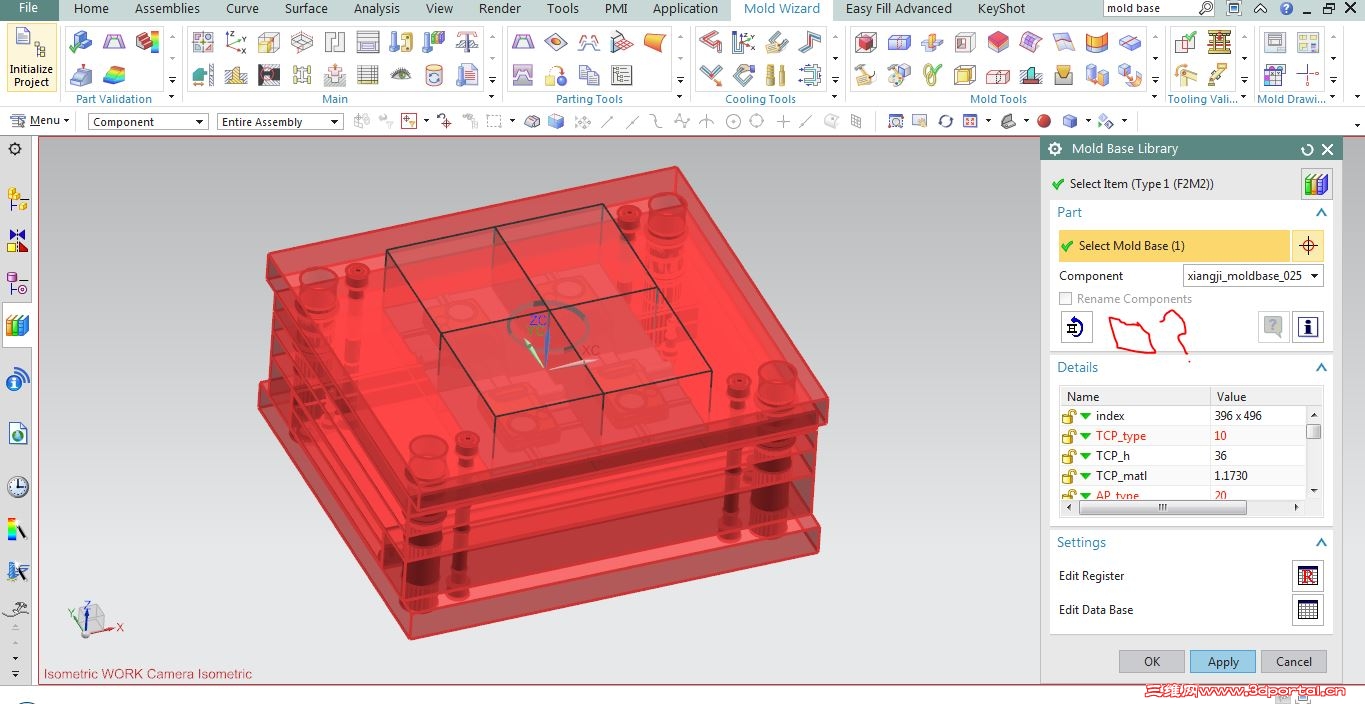
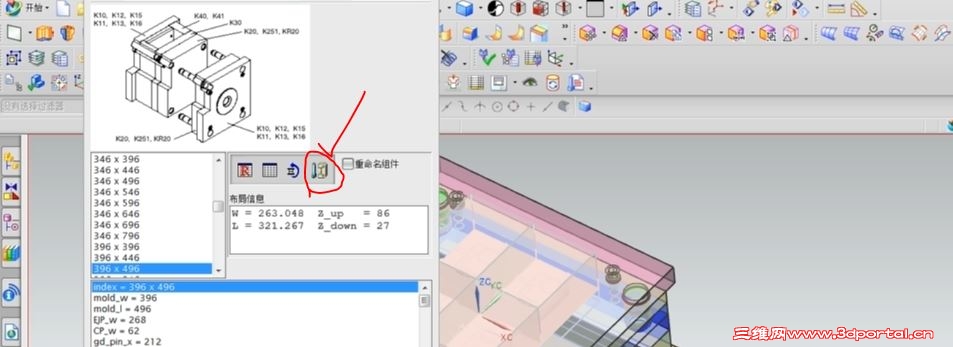

 . Z/ N0 B: y `0 K- F