|
|
马上注册,结识高手,享用更多资源,轻松玩转三维网社区。
您需要 登录 才可以下载或查看,没有帐号?注册

x
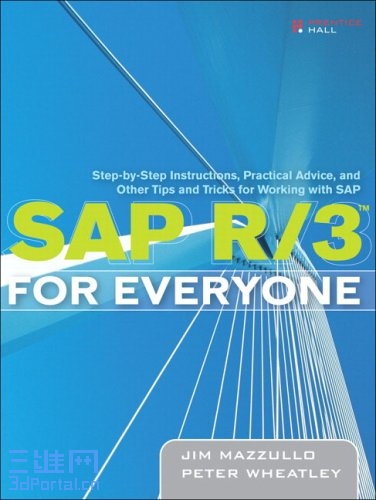
SAP.R3.for.Everyone.Step-by-Step.Instructions.(2005).BBL.LotB
& J4 d* I3 ~: X* ^# [% v; o' h: V7 d1 g) S! ~. v1 o
Copyright [- [" d$ N5 z: c5 F
Praise for SAP R/3 for Everyone 0 ]% b4 p8 u5 c4 y" B* e, u& L0 V
Acknowledgments
6 N% l0 I0 f& {$ o, l$ @1 e About the Authors 3 ?# B; E( X' u1 }: X8 d
Preface
" d9 Y/ {+ Z0 k( v% C. Z. o What Is SAP R/3? 5 k5 q* ~$ U- a7 z# |
SAP Transactions $ l9 u1 J- @4 v; y
Organization and Contents of This Book
& ]+ a3 h& {1 Z+ w# L7 \% \; T Some Words About the Text and Screen Images % L X7 u5 R+ R% B( q
Introduction: Design and Operation of the SAP Application Window
2 J9 g6 g8 b, m O/ q# o$ C Menu Bar ! @8 Y. Z2 @' c0 j' } h- c! a
Standard Toolbar 6 r/ @& |6 I2 A# L0 j- y+ {
Title Bar 5 }1 o; ~; i5 O8 t4 x* _- T. d2 R
Application Toolbar
; ~$ V: ]2 {) t Status Bar
# c$ N. Z: W. J3 [" M Central Work Area 3 o; n: p, G7 R
Popup Screens
" H& _0 A0 i. E3 R SAP on the Web ) Y1 O; z7 M. u$ q% F5 A. V# R% L1 c
Part I. Getting Started 3 Q6 E! U& c! J1 M. i- e! E1 p1 J5 W& j
Lesson 1. Logging On and Logging Off 6 z8 L; l8 h# c
Logging On + s8 p' h9 a* W1 g; d4 X+ F4 Q
Logging Off
% P% U* R- L9 }0 B4 l p0 g Lesson 2. Working With SAP Sessions
- `+ T4 O6 ?' M T1 } Controlling the Application Window Geometry and Location 3 D9 z* t4 r) @8 a
Creating Multiple Application Windows
# {$ g. k$ t7 z S% E( Q3 q4 S Killing a Session / _$ a- o& j* M# }+ H, e+ V0 q9 T
Customizing the Layout of Application Windows and Screens
# l* {, ?; p( z: v0 \$ {$ A6 d- ^ Customizing the SAP Easy Access Screen ) g- t& w% a5 G! l0 A5 J! U3 F
Creating Desktop Shortcuts
1 o/ s; |! W+ d* P7 S Lesson 3. Entering User Profile Data
7 A6 F% N! z; h7 |' t6 T/ b Lesson 4. Changing Your Password ! y/ C& w4 J/ k) Z: {: J0 E
Changing Your Password * W* I8 h$ J! K
Part II. Navigating Between Screens 3 Y1 H0 W! T* y, [: }9 P5 |" o# C2 E
Lesson 5. Navigating to Initial Screens With the Menu Folders
' u. u, {/ Y' O- v! C8 H Navigating With the Menu Folders + e5 o0 Q7 O9 f$ ?. R. D; L" g
SAP and User Menu Folders
) c( }+ g; |7 c+ {" y- x1 \ Searching for Transactions
% w) K+ c# p- O) n& Y8 V+ C Lesson 6. Navigating to Initial Screens With the Favorites Folders 7 ?( U0 R4 h( j3 @% t- _: _$ ]
Working With the Favorites Folders 8 S( U4 u" u6 ]: v
Adding Favorites Folders ' F( t+ o: F) l
Adding Transaction Links to the Favorites Folders
, `$ X- Q! U8 B# _9 i; p Adding Web, Intranet, and E-mail Links to the Favorites Folders & s; E Y* _" m2 w7 q
Changing the Names of Favorites Folders and Links
3 @5 {9 m& z! I: J* c: \ Deleting Favorites Folders and Links & }# k. e- o5 N- C2 {
Sharing Your Favorites Folders
' X. }% Z4 U, E; K. A Lesson 7. Navigating to Initial Screens With Transaction Codes
& p9 W t" N1 K Navigating With Transaction Codes " C) F1 o. h* f& f
Identifying Transaction Codes
" a* u {% A5 x3 q' B' m3 V Searching for Transactions by Transaction Codes 1 t/ _) d! I5 e, }: ]# ]
Lesson 8. Navigating Between Screens With Menu Bars ! R: h* P: ?2 [, G. d& I- X9 ]2 R
Navigating from the Initial Screen of a Transaction
( W1 `3 b/ O* r& ?1 H Navigating from the Output Screen of a Transaction
3 u, M2 m' B3 ]% q Exploring SAP * Z* ^( @3 l* s. Q8 b
Part III. Setting Up Initial Screens , d8 E4 R# ~" \# B1 i) ?, |' {
Lesson 9. Entering Codes and Text / L; \1 V% Y: y( m% Z+ _
Tips for Entering Codes and Text
$ a, U: c9 I0 [5 U. ? Lesson 10. Searching for Codes % M/ q6 \/ O* L
Short Hit List Screens . e/ |0 ]9 w) F' J9 S) O
Multiple-Tab Search Screens + z2 v3 s& k) K ^6 v) V$ B
Tips for Using Multiple-Tab Search Screens 0 F3 h* |& z6 j& \$ s3 d( i# }
Structure Search Tree
0 H3 v6 R, {" \5 u K8 z1 U+ I% F List-Display Search Screens
0 Q* `4 v% r" a( S5 e Lesson 11. Entering Codes on Multiple Selection Screens
9 P2 o; }( w+ m Design and Operation of a Multiple Selection Screen & Z6 i* i; x( O# E9 p# w* ^& K3 ]
Using the Multiple Selection Screen: An Example
V, a. _4 Q# q6 G Z) V Using the Multiple Selection Button 7 H) s6 K& x1 N( ~% \( ~
Lesson 12. Using Selection Options on Data Entry Fields 2 C, W. b6 ~3 g& _ ^
Attaching Selection Options to Data Entry Fields
( ^' q4 _3 l0 s) F9 C What Do the Green Selection Options Do? * E. V7 m) l( W
What Do the Red Selection Options Do? 1 T1 p- X, {$ J2 [' y
Lesson 13. Working With Screen Variants
7 Q) i5 G5 s# L Adding Data Entry Fields With the Dynamic Selections Button
/ W) W) N5 m5 K3 G3 _* c Creating Screen Variants 1 n3 a' u' t6 `. Q
Changing a Screen Variant : ^; L# k% ^% p# a, |( t' h
Calling Up a Screen Variant # ~2 U2 ^/ V3 {0 {) N
Deleting a Screen Variant , O# y# {9 Z# r U( P# T/ Z
Part IV. Working With Output Reports ' T0 \% v+ L; B
Lesson 14. Sorting, Filtering, and Summing Up Line-item Reports 6 }1 ~+ j7 P( `! c
Sorting and Grouping Line-item Reports
4 z( L. ]+ d9 Q+ E) V( Q/ o Filtering Line-item Reports 9 R* ^# A" n5 q8 Z2 J
Summing Up Data Columns in Line-item Reports 0 y7 e, @# s* O7 o2 J9 S: T
Lesson 15. Display Variants for Line-item Reports $ S5 v4 [6 s4 J( Y! Y! Z
Accessing the Display Variant Functions
2 j) A8 o( G( W4 ~ The Change Layout Screen
# K4 x! U2 k. R) V( w3 i Creating a Display Variant . |: C, n f: S a$ e
Saving a Display Variant 2 g) L- k& W: ~' J9 I9 Q
Applying a Display Variant
6 u I: v7 r0 Q Deleting a Display Variant & g2 v) `8 U) [8 t
Working With Display Variants on Other Screens
! |- u' |; a% R0 d Lesson 16. Exporting Line-item Reports to Microsoft Excel and Word $ r+ i# O' n; k# {# m2 ]
Front-Door Exports % V, R O v' [5 s* B
Back-Door Exports 5 d/ `# Y& K6 n: A
Lesson 17. Sending Line-item Reports via SAP E-mail / P# N5 t1 v) |
The Create Document and Send Screen
" C2 D. Y) f8 U+ d+ b3 | Entering and Searching for the Names of Recipients # O+ D/ o( t$ ^
Working With Distribution Lists " `& m) \4 }8 A* Q* s
Reading SAP E-mail Messages
3 n& S* X7 L5 F$ V& _1 m2 @ ] Sending E-mail From the Business Workplace Screen 2 i7 Z+ F# N( J' l; I
Coda: The Basic Transaction Types
! \1 m5 ?( ]6 f( F) T7 d& |; G2 G Transaction Type 1: Displaying an Object
( R5 X/ e# w. ^* E Transaction Type 2: Displaying a List of Related Objects 7 D0 D5 F* q/ Z& X- t" ]6 |' t
Transaction Type 3: Creating an Object
- F g, _0 ^/ p- U9 @ Transaction Type 4: Changing an Object " y7 ~( i' I4 L5 i3 e8 B
Appendix. SAP 4.7 Job Aids Create a Plant Maintenance Order (IW31)
0 r9 u+ i B" R( _" ` Index
, W+ `, M6 G) D5 v# M% e
: p4 R, [6 S9 w7 k9 e; i& H) f[ 本帖最后由 Paul_peng 于 2007-1-13 22:17 编辑 ] |
-
|







 发表于 2007-1-13 20:56:14
 楼主
楼主