|
|

楼主 |
发表于 2008-4-18 03:38:00
|
显示全部楼层
来自: 美国
$ b" L" @6 _& N `
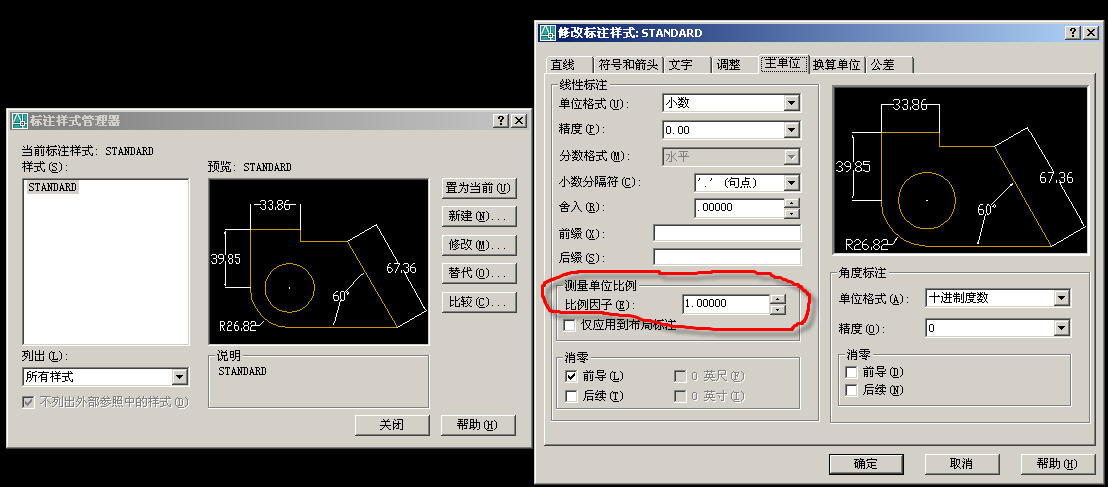
0 T/ y2 `" L0 x% Y r我用的是Mechanical Desktop 6.0.英文版的。
) u, Z" Z! c* Z9 i我在求助里搜索:how to reset dim scale linear3 M9 b& `2 `6 ~5 j/ S7 g# u
. T' Z; L# I9 S+ t& s* j7 ~
Re: Dimensions rescale themselves." \$ v* x6 }4 i |- l Z
I have experienced the same problem, without the factor mentioned above
/ S8 P& S: C. ]9 I' ~about Arch. units and Decimal units. After multiple corrections and
; |% Q, @' ^. ~( u0 g; Jredimensioning, and multiple auto-rescaling problems, the only cure I could 5 h) |# ]' f" Q& H
find was to delete that layout tab and start a new one. I have no idea how
9 G- S/ S- P8 D0 N; Uthe problem could be tied to the tab itself, or perhaps the viewports, but 5 @7 I9 x6 r B' V4 n
that was what it appeared to be. i! X& c* S, U- f
Joe
, e$ f0 D. {, F4 a) w, Q" i& @& B- P7 Y, p. u% }
Re: Dimensions rescale themselves.5 \, ?8 H% a7 {" `! s$ }! {
The problem is with the Dim Reassociate command. Avoid using it.
8 W& n0 e" ^+ j( d$ @3 v$ a1 uIf you have Osnap on and simply pick the ends of each dimension and place it on the point you want to reassociate it with, it will get the dimscale right.
1 H9 t0 y6 t- m" N. ~, ZBut I find it easier to isolate the dims layer (ctrl-w), group the dims that you want to move, turn on all the layers (ctrl-q) then pick the dims and the vport and move both at the same time.
8 `; X; N, k* j* X/ X Hno problem. ' M2 r' H' v' p5 Y
, `6 M9 b3 i9 x! m$ J按他们讲的去做也没解决。 |
|







 发表于 2008-4-15 08:17:09
 / l* I' ~. W8 \& q* V( G$ h
 :)
:)