在analysis的时候出现:! }8 d5 A* z! C- U/ b F
0 Q: ~8 W% c& U" k% L4 j
Installation problem, cannot find "Installation Path for NASTRAN not specified" D( }* P8 x" u* u: z7 n
Attention - The created error labels only point to the part in which an error occurred. They do not show the geometric position of the problem. : Z# o) S1 D* y - U: g( o; m% C; h" i是什么原因啊?材料、边界、载荷、网格都定义好了啊,在分析时output就出现上面的问题,不能分析了。 0 V/ b$ ?6 c$ }" j8 |/ E" I9 J( J+ D5 T. P
请高手指点一下,非常感谢。
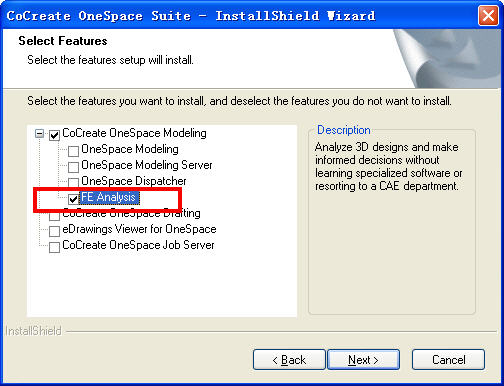
After you install FE Analysis, you may need to perform additional setup steps for the Analyze function to work properly. 0 |& h: J; t1 o9 e: ?( e; `; N6 j' T3 }7 d7 ?3 W
Set the NASTRAN scratch directory. This defaults to C:\TEMP. Reconfigure it by editing your da_config file. Currently everything is commented out. Uncomment and change if needed. You may have to manually create C:\TEMP. ' H C# b: A6 K: ]! m3 [! t
' S3 m. h$ r' H# p(ferrum::ferrum-set-scratchdir "C:/TEMP") ; O: g5 l! W; b; q! q8 r; G8 g3 z8 A5 |: l9 [4 y8 K* g" N' \
If you receive memory errors, uncomment and edit the following string in your da_config file. Change 16 to something like 2048.0 {8 j+ q- ?' [& @4 m+ G) [
原帖由 TEST-STEVEN 于 2008-8-14 08:42 发表 http://www.3dportal.cn/discuz/images/common/back.gif" s w8 h# t' U6 l9 } y
After you install FE Analysis, you may need to perform additional setup steps for the Analyze function to work properly." e6 Z0 e2 a* x! ] R5 P7 g
7 N; z! c% Q( k
Set the NASTRAN scratch directory. This defaults to C:\TEMP. Reconfigure i ...
- @3 j% Q7 ^+ R; H8 \9 L * z4 z L; h; I' n6 e文件名有大小写的影响吗?








 发表于 2008-8-12 15:41:00
 楼主
楼主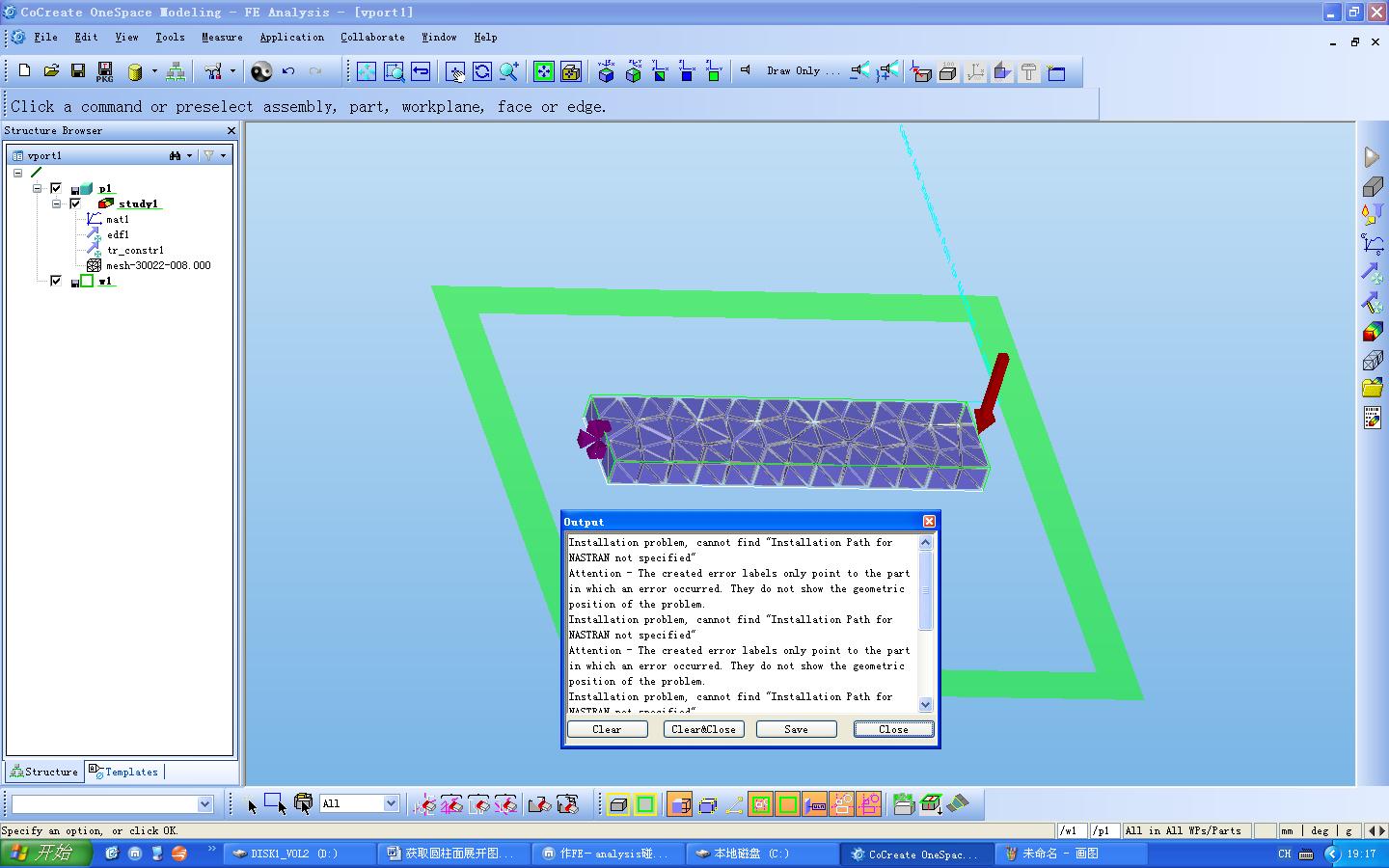
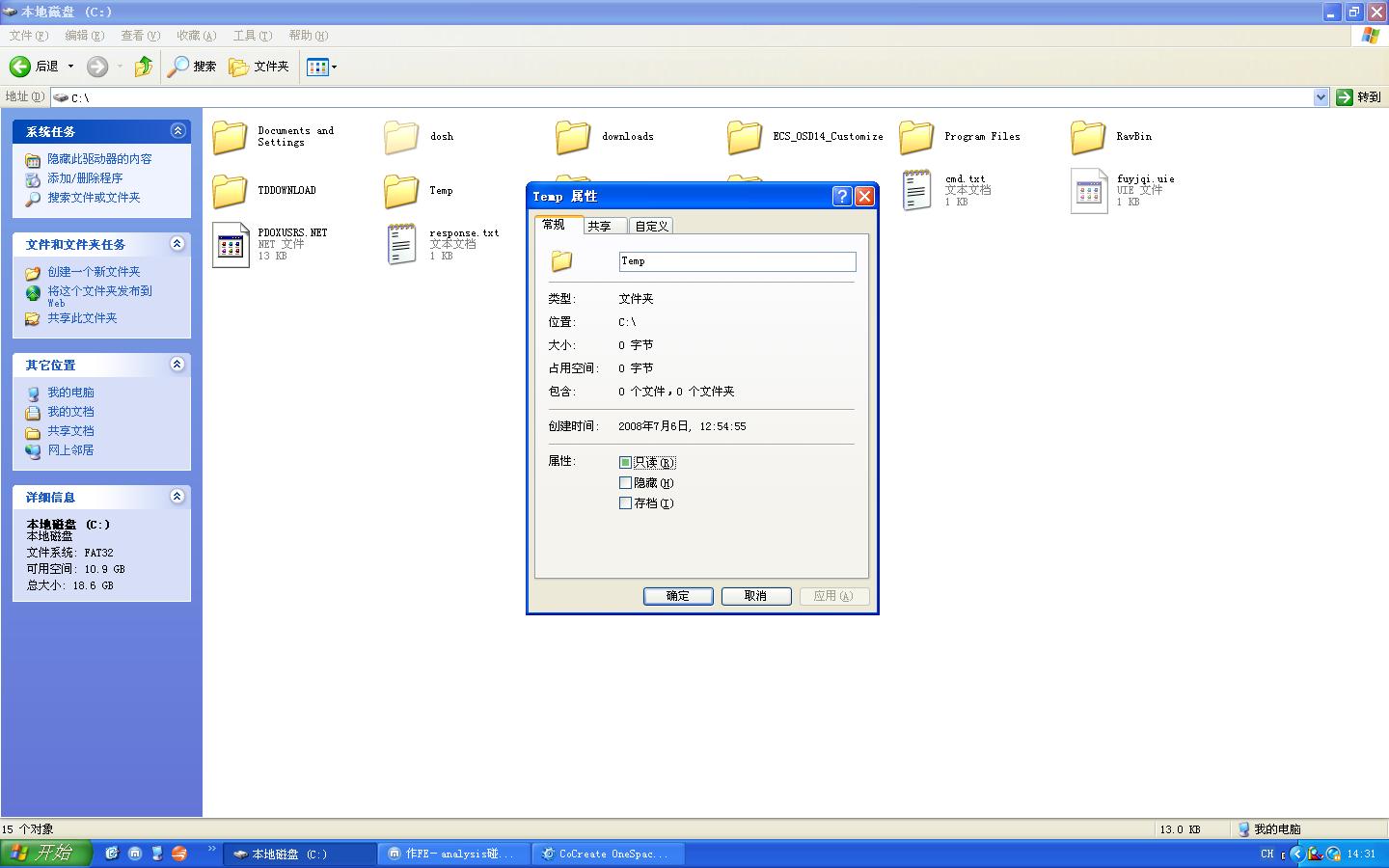
 还是不行,郁闷0 x, w. ~6 ]1 h