|
|

楼主 |
发表于 2008-4-18 03:38:00
|
显示全部楼层
来自: 美国
* J( F# Z- B1 y( \: c) V( M* V* u* r% ]
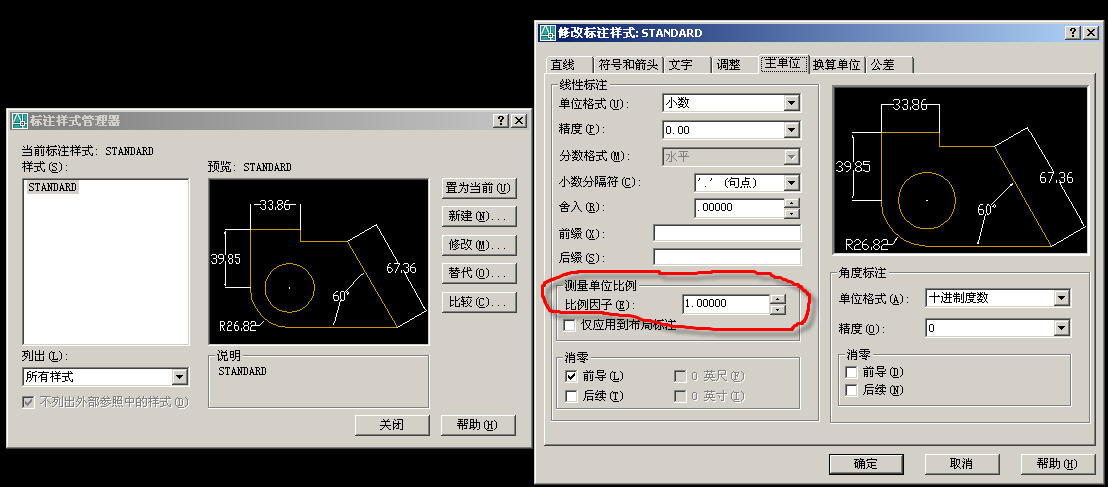
我用的是Mechanical Desktop 6.0.英文版的。
" c4 }. |4 x2 L) g9 |: y我在求助里搜索:how to reset dim scale linear
4 C2 B4 p! L F0 |2 w) j% ~
) D( u1 S% h' l/ v4 ]' BRe: Dimensions rescale themselves./ S2 l' E$ L1 f2 i
I have experienced the same problem, without the factor mentioned above
7 f( U; z9 ^/ { f3 ?/ t Rabout Arch. units and Decimal units. After multiple corrections and 8 C& l8 H' O5 ~. H# W
redimensioning, and multiple auto-rescaling problems, the only cure I could
% D( c. R0 Y) }! `9 W' Yfind was to delete that layout tab and start a new one. I have no idea how
& d3 h8 P2 Y5 D7 m$ E! Kthe problem could be tied to the tab itself, or perhaps the viewports, but 1 i2 g1 f) K2 x4 b, f1 T! Q" y
that was what it appeared to be.
( _) A3 G: h7 K. ]! pJoe" }2 @8 A | w
5 v5 [$ \0 @, }) P9 e7 F/ FRe: Dimensions rescale themselves.$ {; o# X# O0 G$ w% y
The problem is with the Dim Reassociate command. Avoid using it.( q1 z6 d3 T$ `* m C- {: d! N
If you have Osnap on and simply pick the ends of each dimension and place it on the point you want to reassociate it with, it will get the dimscale right.
1 E8 K' _3 u# g6 ]But I find it easier to isolate the dims layer (ctrl-w), group the dims that you want to move, turn on all the layers (ctrl-q) then pick the dims and the vport and move both at the same time.
7 {8 i" T3 I2 z; J0 t. y! lno problem.
) ?2 b X( t1 F; K" ?$ n$ z+ a- R" Q- l
按他们讲的去做也没解决。 |
|








 发表于 2008-4-15 08:17:09
 ! L; n. J" t: W; f9 {5 X# q
 :)
:)