|
|
 发表于 2011-6-29 07:15:02
|
显示全部楼层
发表于 2011-6-29 07:15:02
|
显示全部楼层
来自: 中国江苏苏州
本帖最后由 mygc 于 2011-6-29 12:25 编辑 w& t8 F x U- W4 E
7 b) S. @, x4 T! n6 D
SOLIDWORKS钣金展开插件blankworks V4.0带CRACK+ ^ g3 T- N7 ^5 _/ _# X1 a) \
! B0 e+ D4 T2 U( _6 r& ~. \# w
软件介绍:6 A1 z7 w& p' m2 h
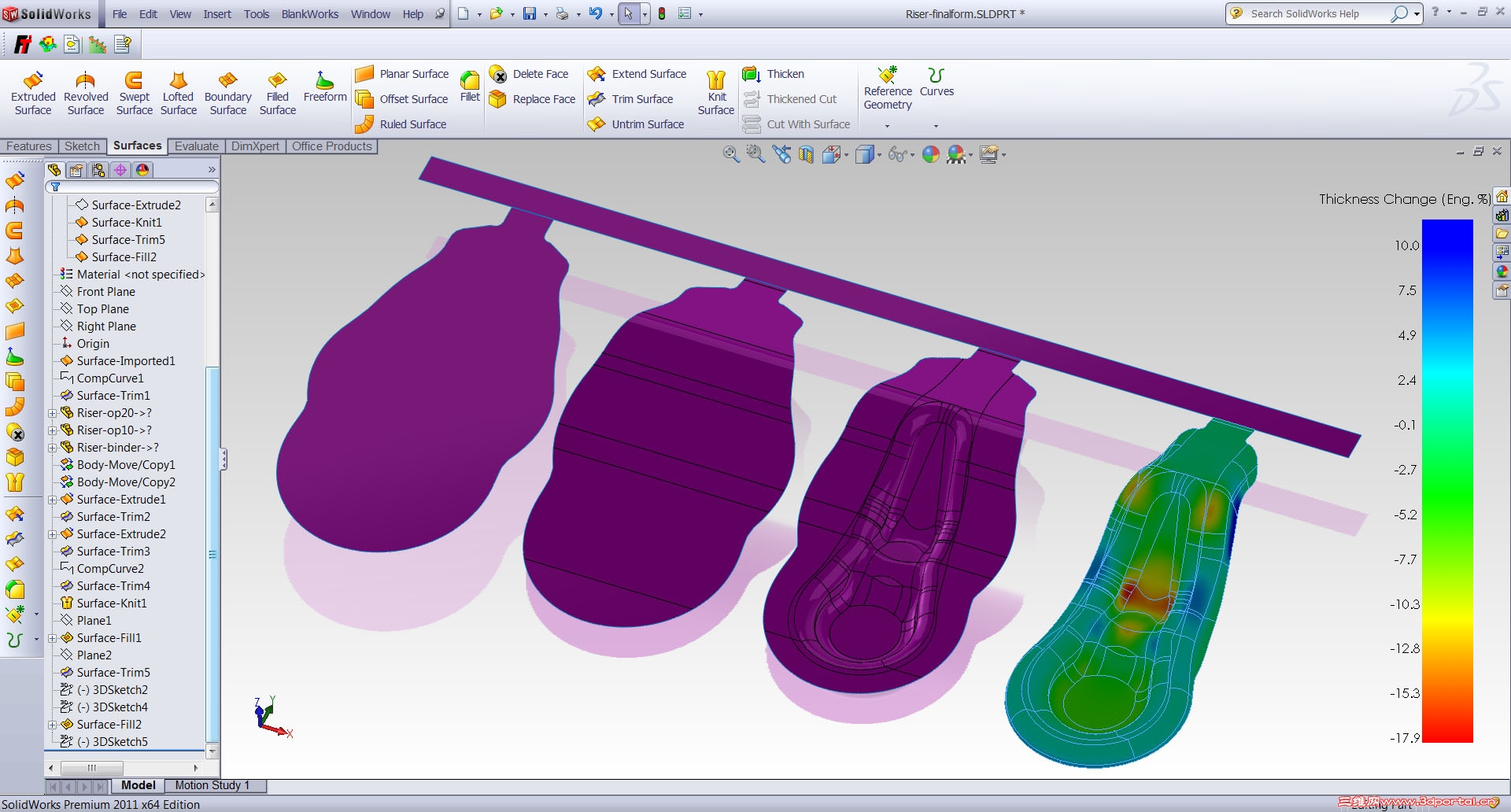
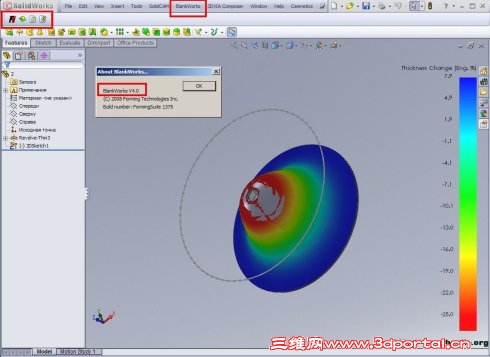
BlankWorks是一个基于SolidWorks环境快速展开工具,SolidWorks2007之前的3.0版本是一个好很好的工具,但是BlankWorks3.0在SolidWorks2008以后的版本里不能用了,不久前,FTI终于出了可以应用在SolidWorks 2008 2009下能用的4.0版本。8 E: i; {4 k3 J9 Z5 g
' j2 j3 E: d' d7 z8 x* U
: f Z3 C- f- e: G4 `4 q
% i- M4 Z8 z$ U; u' V% S; ^7 F6 k m3 k; k2 u7 S
% Y0 V: Q2 m, u' q( V3 C9 P
4 m* ]" p' W) ]7 r1 Q
. U$ S* C# {$ s1 E8 x" b: Y0 U& z; O
% R, I* B' x, R. w) p1 工作 界面:. n3 h' J/ |/ k1 G0 c
http://www.e-works.net.cn/images/128822673777968750.jpg/ R' P2 P1 f2 O: D; B
图1 工作界面2 O9 L7 O; [0 u0 ~. c3 g
( x; u9 M9 `( w6 L0 z& v% ~4 o
2 菜单:
# ^7 `, N1 e& B; K7 Rhttp://www.e-works.net.cn/images/128822674443750000.jpg$ x% B. h g$ x( l
图2 blankworks菜单% w6 W# U' B- h/ O f
+ e" o6 R% A( F' ~5 ?3 分析步骤详解:
8 C" M6 F, S$ K2 o* ]2 M 感觉比起blankworks3.0 ,功能更简单了,不用再手动的处理网格了,程序全自动的处理了,分析的步骤也更简单了,一共6步:
% \* u6 R6 [* P! f1 E$ p& _(1)Click the BLANKWORKS icon on the BLANKWORKS Toolbar, or select BLANKWORKS > Setup from the main SolidWorks menu. ; @* ?1 m) s8 a0 s
点菜单或者工具栏中的“setup”按钮,启动 设置界面。
1 x6 o+ y# j3 ~6 I' ?# ]* H
9 Y! t' x7 ]+ [* ^http://www.e-works.net.cn/images/128822675405937500.jpg
s2 L. L J% C4 _2 i0 h 图3
4 K, b2 N/ b- w) c/ d5 D2 b' U5 Q( A' _- _5 O
(2)Select all surfaces to be flattened, it can be either the entire model or only the flanges (flange unfold). These surfaces can either be top, bottom, or mid-surface.
\3 h) S1 r7 y7 D, I 选择要展开区域的曲面(一定要是曲面,可以是上下表面或 者中面。)。/ W+ j4 D' X: Z# U
) S# m# I& k4 ahttp://www.e-works.net.cn/images/128822675650937500.jpg
6 Z' _( | H: x$ \) p0 U 图44 t- v5 I& o; O c5 ], U$ Y9 P
/ t8 B- N% M' ?; }! |, o(3)Define any Constrained Edges and any Support Surfaces (curved binder / unfolding surfaces) as applicable.
# t! j! f1 j. Y 定义对称边线。和展开基准平面( 没有就算了)。3 o' b d! L& d, N
1 d( n6 R1 J2 A/ V/ [, P: ?http://www.e-works.net.cn/images/128822676843281250.jpg
( X+ y; Q1 h. o# J; w& k3 ?( b 图51 |, F/ l( C$ D2 l" g c9 f
6 W7 m) M# K* L, s+ I(4)Define the Material Type & Thickness, as well as the Thickness Direction. ! S7 u/ n3 ?+ o' O
定义材料、厚度,最好还有厚度的方向( 中间面就免了)。2 t$ [% D# L+ X4 C
" A G9 Y9 j ^" }http://www.e-works.net.cn/images/128822677131718750.jpg% D8 ]" p# G+ ?- z5 l$ I
F( y9 A# d$ s' ?7 ? D 图6
/ ~% @8 n" A2 Q* E1 Z- ~- D" |
! ]1 a' i6 Q2 j0 q(5)Define the forming coordinate system (press direction) or select the Auto Tipping function. The Z-axis of the defined coordinate system will be used as the press direction during the analysis. The default tipping direction is the global Z-axis. If the default axis is NOT used, the blank will be created on the X-Y plane of the defined coordinate system. Define the forming process as either Draw Die or Form Die.
' ]- b! L" a* M) P 定义展开的坐标系(冲压方向)。全局坐标系的Z轴为默认的自动展开的方向,假如此项没有定义,则自动会在 XY基准面上展开。3 V' y, D- }- }# i% g$ ^
( K- o ^ T5 H( I7 ]http://www.e-works.net.cn/images/128822677648125000.jpg7 @* v0 e# e" m- g2 S. ~3 } i+ D
3 R4 a- z/ `" ?8 ?; M3 s: J- R
图7
, Q5 i1 g+ D0 z) s6 d a0 |3 \
8 T `+ S, G2 [, [2 r" F4 M1 }" l(6)Define the mesh generation parameters by selecting one of the three options available: Low, Medium, or High. The default setting is Medium. Select the check box for Fill All Holes if you would like the holes to be filled in during meshing and for blank development
2 |0 V6 |8 O/ p8 o9 d 定义网格划分的质量,默认为良好。(还可以指 定自 动补齐所有孔)。; ~- D' U) h9 @7 T# ]: Y% L
0 ^. q2 M L2 c
http://www.e-works.net.cn/images/128822677924062500.jpg http://www.e-works.net.cn/images/128822678053437500.jpg
) b3 a# d" G# s, O/ G, M x$ L$ K& i! ^
8 m2 b: @& J2 C) c/ ?4 w+ e
9 y8 q! C6 n% c# r
实例1 :
) j* z2 k+ d w9 c4 z" j
) Q# `0 P/ Z" u+ P$ E) h; z http://www.e-works.net.cn/images/128822679674375000.jpg http://www.e-works.net.cn/images/128822685908906250.jpg 5 \. w8 D, J; L; f4 L( v
6 t: ]( X$ X, }* C 图91 z7 ^7 n- \; W' H4 N; T% \
8 ~+ O2 ]# i( J, c4 u" e 图9所示的例子选择了所有孔自动补齐,网格质量中。设置如图10所示:计算时间:30秒, 得到结果质量很好。
! G7 k2 z+ _( `( r+ G9 B2 {+ A V) F3 B: J# s* K) m
/ \1 b! V3 ?3 H6 m [0 d
, p4 J7 I1 ~) }实例2:
0 O4 K1 P6 g1 c5 E
& z8 {; u# D% z- Z http://www.e-works.net.cn/images/128822686201562500.jpg 8 j1 \0 B( P( P8 v: O
* O; j1 [4 k. l* }0 Z http://www.e-works.net.cn/images/128822686345156250.jpg
7 \" a: |: o6 v2 y% m1 o. Y
1 j# k! o! [; ?8 \# r http://www.e-works.net.cn/images/128822686478750000.jpg 4 V7 }' [. W0 q1 n. ]3 H( j; Z$ w
- m% Z& t0 O' l3 p, L5 j
图10, t; X, G; e& E
1 w" s6 H: E+ ^' g" m0 S; l
' j# }9 B/ S- K3 s0 Z7 m* a- Q( E
" W, a& }3 e$ x2 X9 ~5 ?0 [ 2008冲压仿真的第二章的例子,测试其1/4展开能力,MID网格计算时间:10秒。质量一般,用高品质再试试,计算报错,不能正常进行。切换成整体的:不 对称。结果还可以。, |( ]1 N! [5 F+ C/ l
$ L& j) h; s- Q3 x1 ^+ u
7 y- R/ y6 K7 ]1 ~" p; R/ G9 g* D实例3:0 w; N+ x1 x$ r/ [ B% y. g' N: b
9 T, g' O# l4 Thttp://www.e-works.net.cn/images/128822686907187500.jpg
% ?# n9 d/ C, m9 b
G q: d2 J/ k6 ?" a5 hhttp://www.e-works.net.cn/images/128822687050156250.jpg http://www.e-works.net.cn/images/128822687159062500.jpg
$ z( h( o1 ~$ k) u; B% D' e
- Q. {0 C/ }1 k7 d: }; {5 l 图11, k1 m( I( b' A
( Y5 r3 w' \4 t. J4 D1 t8 ?
没有填补孔,孔自动填补:从面上看,质量还可以。% ]4 {9 p# [4 w( m
a. v5 Q O2 ?3 ]) Q. q y' z9 `* M" e, s' h' h2 u
4 结论:2 K" P9 q/ j8 y$ m! g# n
1:零件最好还是用整体的分析,局部对称的有问题。折弯件的展开质量比较高。% r. I0 f& `4 W7 ^& t- U+ ~
2:每次分析完后,要重新分析,信息需要重新输入,不方便。2 K; ?1 H& c4 C1 I2 p2 d
3:计算的速度比起以前要快一些,而且不需要用户输入网格尺寸了,对于一般用户来说,更方便了。但是对于专业用户来说,就整体说,还是目前SolidWorks平台下最方便的展开工具之一。: u7 F3 g/ b+ r8 p6 f3 q$ r3 P+ a
6 l8 ]) p0 T7 J. d8 q4 `
: n; q/ e1 d+ o7 h; g( i
; c! x# e+ q, e4 e) `
LIDWORKS钣金展开插件 " E) u8 u H, i/ X
blankworks_4.0带破解,内附说明 Y5 ^* H% q3 O( X
, P$ k% ^) O9 w$ B下载地址:
& S, z0 u4 C2 G5 d; Z2 m7 _ R. G; N0 Y. K; K
BWinstall_v4.0.rar |
|