|
|
 发表于 2009-1-14 09:37:40
|
显示全部楼层
发表于 2009-1-14 09:37:40
|
显示全部楼层
来自: 中国山东泰安
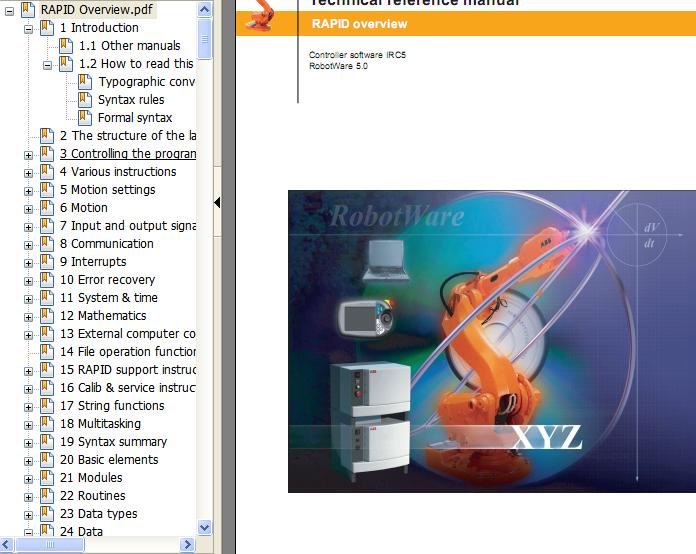
第四个文件:3HAC16580-1_revD_en_library.pdf$ s- W4 v u+ m5 O7 T# N
# s1 ~5 g0 `' X3 a/ n; WContents& y% U; P! q0 x8 c3 @
1 Introduction............................................................................................................................... 16 a1 a6 u7 Z3 d
1.1 Other manuals................................................................................................................... 1
( k9 C$ ?* P' u* E$ D& S1.2 How to read this manual ................................................................................................... 1
( T9 f. z* }1 ? Typographic conventions ................................................................................................. 2+ \) t7 U B: U8 V( e: M& `
Syntax rules...................................................................................................................... 2
: ^! ]! K2 j& Q+ ? Formal syntax................................................................................................................... 3
4 b3 R* {( z8 Z2 The structure of the language .................................................................................................. 50 ~! D; \# z1 [: @( Y9 ]0 d, k
3 Controlling the program flow .................................................................................................. 7
7 c9 H$ U" M1 [3.1 Programming principles ................................................................................................... 78 b2 G) t( [0 y% M
3.2 Calling another routine ..................................................................................................... 7+ c+ J% }% F& B: |3 q: R: Z- I
3.3 Program control within the routine................................................................................... 7
$ O8 P/ E J/ \3.4 Stopping program execution............................................................................................. 8
; C2 C$ Z* ~$ O9 s% e" A3.5 Stop current cycle ............................................................................................................. 82 a2 w: K4 q/ ? G( h2 W/ E
4 Various instructions .................................................................................................................. 9- ?* k* k; P q9 i% A
4.1 Assigning a value to data..................................................................................................9% l. `! D6 p) L F$ p: c; [/ M
4.2 Wait................................................................................................................................... 9: n8 n, d3 B5 ?9 `2 F1 H, W0 P
4.3 Comments......................................................................................................................... 97 i: D R4 B! m2 K" M2 D
4.4 Loading program modules.............................................................................................. 10/ y0 F" \. V) R
4.5 Various functions ............................................................................................................ 10# n* R/ C9 b% D2 ?" l
4.6 Basic data........................................................................................................................ 10" \4 M; K5 E; ~: U7 A V
4.7 Conversion function ....................................................................................................... 11: f4 Q% ?5 P% N2 l# A, c
5 Motion settings ........................................................................................................................ 13" N& @( P/ j7 g& Y7 I4 g L' m
5.1 Programming principles ................................................................................................. 13
! R! [6 ?$ u, J. l5.2 Maximum TCP speed ..................................................................................................... 13
: I0 T# C$ o4 {8 [7 n. V5.3 Defining velocity ............................................................................................................ 14
+ G" \5 {" j9 Z7 E1 F1 X3 ]: n, ?5.4 Defining acceleration......................................................................................................14
8 m1 Q; @+ z& p3 C+ [! q5.5 Defining configuration management .............................................................................. 14( E' y$ M. |6 w6 q+ s1 d; ]# ^
5.6 Defining the payload ...................................................................................................... 14
, @* w5 G" P, f- k. c1 b& F5.7 Defining the behaviour near singular points................................................................... 15
|. p' ^9 p5 N; f7 q5.8 Displacing a program...................................................................................................... 15
1 o. c* k* J. ?, E2 O5.9 Soft servo........................................................................................................................ 15
! g" P! s6 ~( R7 F5 z9 G5.10 Adjust the robot tuning values...................................................................................... 16
8 A& Z6 z% f2 v( c4 b$ C. {5.11 World Zones.................................................................................................................. 17) k% L! R3 ~2 \7 ^" y" p
5.12 Data for motion settings ............................................................................................... 17* o# _2 a- [3 C; F
6 Motion ...................................................................................................................................... 19
, _4 \! Z* }8 b. B: `6.1 Programming principles ................................................................................................. 19" E/ v- F6 _" v- y0 E1 l
6.2 Positioning instructions .................................................................................................. 20
8 I* M: u; S% P& \6.3 Searching ........................................................................................................................ 20, b; ?4 X: G( R1 [1 y5 ^
II RAPID overview
4 g. y+ X' z1 M7 P+ N3 _' g- L6.4 Activating outputs or interrupts at specific positions ..................................................... 21' P# k1 q7 l+ V& l' d6 f, [5 Z0 ^
6.5 Control of analog output signal proportional to actual TCP .......................................... 21
& |/ }2 ^* e: c% D6.6 Motion control if an error/interrupt takes place ............................................................. 22
8 t) ]& Y ~0 N5 u6.7 Get robot info in a MultiMove system........................................................................... 22
( f' \. j5 F# ?6 P/ P6.8 Controlling external axes................................................................................................ 23
2 E& s7 q4 n$ q6.9 Independent axes ............................................................................................................ 24( n5 J% Y! K4 ]7 O, U: U
6.10 Path correction.............................................................................................................. 25
* T. k7 S g: i6.11 Path Recorder ............................................................................................................... 252 [7 N; A) _- O1 w
6.12 Conveyor tracking ........................................................................................................ 26" l' R6 _' U# C' @0 ^7 g; a
6.13 Sensor synchronization................................................................................................. 26
" F- F5 |- f7 Z9 c9 C) R% L6.14 Load identification and collision detection .................................................................. 26& U3 m5 A1 q9 b+ Y; ~1 i
6.15 Position functions ......................................................................................................... 27
, ~0 `/ L/ P" g% q4 [2 w6.16 Check interrupted path after power failure................................................................... 27# W) i! p" [- |
6.17 Status functions ............................................................................................................ 27$ K, b! ?* V) y, h# q8 q
6.18 Motion data................................................................................................................... 28
- d) n/ @1 q( M7 k8 J; R& K' H6.19 Basic data for movements ............................................................................................ 280 F$ o2 Y3 s! e( x* a
7 Input and output signals......................................................................................................... 29, {: V E9 L, y* v& B) H5 [
7.1 Programming principles ................................................................................................. 29
s) ?$ Z% m5 q" E4 r* ]* n/ i3 i1 O7.2 Changing the value of a signal ....................................................................................... 29% J; X4 v# V# v0 `" t1 g2 [& C2 M
7.3 Reading the value of an input signal .............................................................................. 29) c6 N1 |: x, W8 v
7.4 Reading the value of an output signal ............................................................................ 30
3 i, M G9 R2 {( d& o3 F7.5 Testing input on output signals....................................................................................... 30
) O* Y" v( a1 v' G2 q/ H) n7.6 Disabling and enabling I/O modules .............................................................................. 304 l- A/ F" ?/ _. V. }" i: x
7.7 Defining input and output signals .................................................................................. 31
5 J- A8 _) P1 h, W% {7.8 Get status of I/O bus and unit ......................................................................................... 31
6 U. [; p' c* j' E8 Communication....................................................................................................................... 33) s5 X0 K! f/ t, ^6 r; _
8.1 Programming principles ................................................................................................. 33
" c8 ~- \1 W2 R) S* X0 Y) r6 {8.2 Communicating using the FlexPendant, function group TP .......................................... 33
/ m( p5 i' w$ E; ^" c' ?8.3 Communicating using the FlexPendant, function group UI........................................... 34/ f$ k) t6 O3 Y5 p+ I: L3 s
8.4 Reading from or writing to a character-based serial channel/file................................... 35% E) F F0 I9 U* |7 G0 w: ]
8.5 Communicating using binary serial channels/files/field buses ...................................... 35% D2 h4 ?6 n+ W- f" u s' x
8.6 Communication using rawbytes ..................................................................................... 36
* V6 C9 X6 C# A/ ?6 v, m8.7 Data for serial channels/files/field buses........................................................................ 37! ], D. t1 H, ^8 o5 {/ Z
9 Interrupts................................................................................................................................. 39
- R, c4 H2 m- J$ N. G* m9.1 Programming principles ................................................................................................. 39
- m+ X: F' R h9.2 Connecting interrupts to trap routines ............................................................................ 39 n9 L: k8 s: ]- U
9.3 Ordering interrupts ......................................................................................................... 401 d2 c* b# s y! h* ~
9.4 Cancelling interrupts..................................................................................................... 40 Q0 G7 M5 k4 A6 v
......... |
-
-
|


 [复制链接]