|
|
马上注册,结识高手,享用更多资源,轻松玩转三维网社区。
您需要 登录 才可以下载或查看,没有帐号?注册

x
首先看一下自带的英语说明
: @0 g' Q, t! b& GYou need a local Administrator rights to install this emulator for Win64!& X8 a0 P) ~& x5 d# r3 \6 V: [
1) Install SolidCAM2008 R12# @; y' U0 u+ f; g+ g5 O, P7 T3 ^
2) Run "SC_R11_R12_Win64.reg" and confirm to add information into Windows Registry
3 K, a! a$ D' F# g' ?3 `) Q2 D5 }; Y3) Install usb-emulator drivers" V$ [, [2 B, v! U9 Z
Control Panel -> Add Hardware (Yes, I have already connected the hardware) -> Add a new hardware device -> Install the hardware that I manually select from a list -> Show all Devices -> Have disk -> Browse -> (browse to folder "USB-Emul_Win64")
) q" g9 {. Z4 `* sConfirm to install not certificated drivers if Windows ask for..
; i0 o- `! p% t4) If setup is succesfull you have to see new system device/ Y/ o0 N* r) s/ O( d5 F
Device Manager -> System devices -> Virtual Usb Bus Enumerator4 ?8 \: Z' D. r3 k1 D
5) Reboot!!!
" r% n8 F& i3 z: h3 mThat is all
: l0 w- z. g9 V w' Y+ k0 b* S, [* Y! _/ O
tnx to Chingachguk for emulator; B3 N+ V& E, J, m* @5 X$ Z
tnx ckearth for damp
% R7 u, U! o# L& ~& V; a, ~7 T第一步:3 ?1 G8 f. r; t! p, O2 t1 K
运行SC_R11_R12_Win64.reg
, X; O: @$ `4 J* |8 e6 @2 g1 R第二步:4 @7 m$ h! ]7 f# F! ] Y
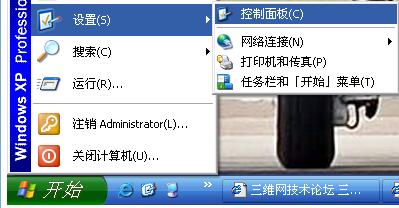
打开控制面板
 $ P( P9 C8 z& k& R0 c7 `" j5 _
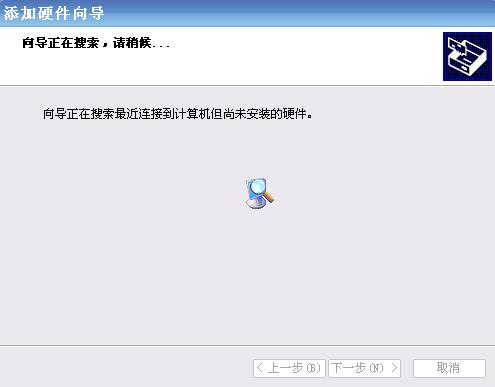
找到添加硬件
 这个选择进入,
& L' t' {/ C8 @ l) e4 [* ~4 G' v: ]) @6 H0 q1 g$ E3 |7 X5 M4 A% R
9 `% U7 p6 X4 h2 i; d4 A
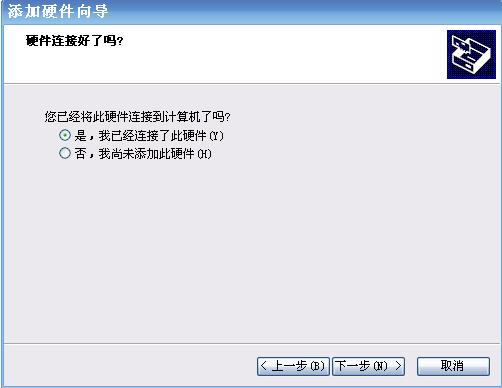
6 B7 s9 Z/ x4 X9 L( ` 选择:是,我已经连接了此硬件
: E. Q; }3 I4 [) Q; b7 R! {2 W4 ]
 ! T5 K& V* f8 y" u
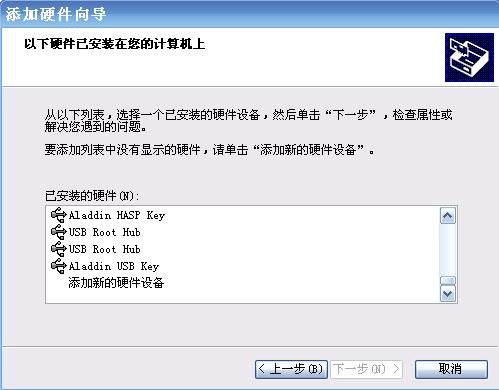
添加新的硬件设备
u5 q, M; ? J( _
 % r* d! \/ D: V2 g
选择:安装我手动从列表选择的硬件
9 Z7 E1 g: [9 k& \
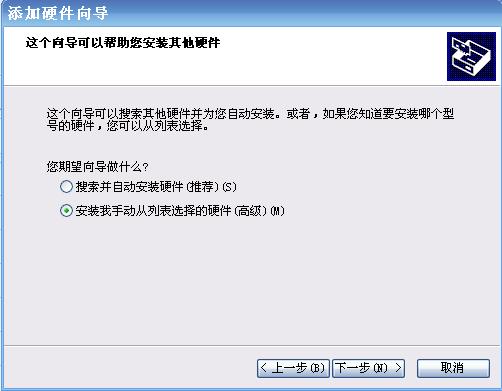
: u* [0 H5 q( x, ]4 u3 u 选择:下一步+ d) f0 `* k( y l6 C
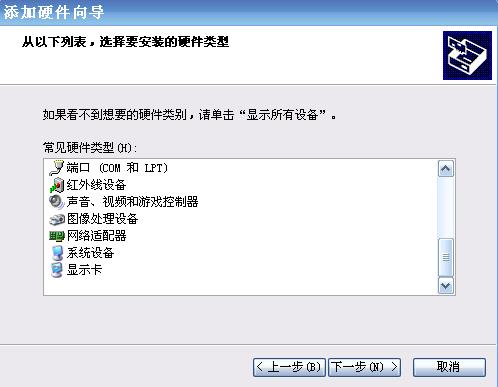
1 [- ], z E- d O N$ m 从磁盘安装
" W3 n% N7 R, p, g, |) Z- v0 P+ C- w6 v: _
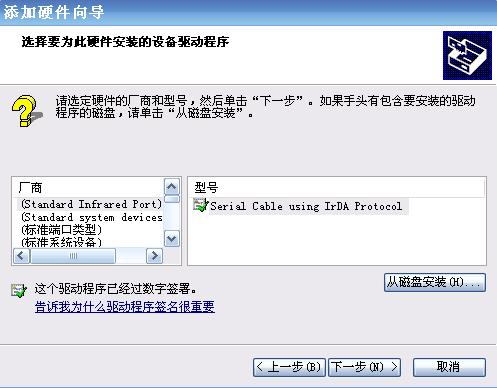
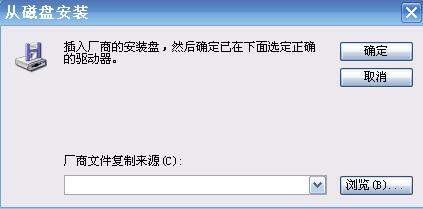
( n3 p. }/ f& z3 t* d 选择:浏览: s P4 h: s! n; L
 $ y, c( X) h) A ]' w1 l
找到对应路径的vusbbus.inf 选择:打开
- k7 i# l) C+ p* q. e* L% j
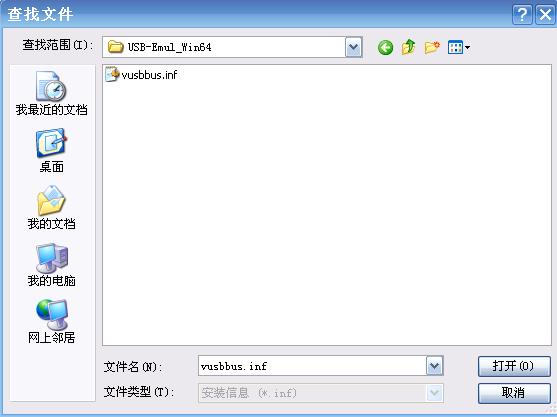
2 `7 v3 I% G8 J& s2 d; q 选择:确定* _4 g+ O+ O5 ?% X0 H: A7 C
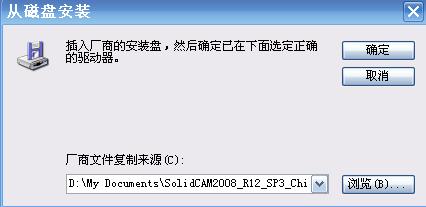
# Q; _- i$ \' y" q4 [9 V9 j& t这样就可以啦! |
|







 发表于 2009-4-29 00:03:07