|
|
 发表于 2006-5-24 12:30:41
|
显示全部楼层
发表于 2006-5-24 12:30:41
|
显示全部楼层
来自: 中国江苏无锡
这是我得config.pro文件:
) K. k F/ O4 |, h U/ B。。。。。。。。。。。。。
# J1 n+ y& B0 R7 n9 `5 hpro_material_dir c:\materials
0 O7 h/ _% b" s6 P3 p
! b) ^. q) C5 X7 ^' m) rpro_library_dir D:\ProLibs\
" \7 f: K, S, mpro_catalog_dir D:\ProLibs\" G& \2 ]9 a! F/ A* q% U
' \- w7 ]2 s, @1 O0 u
。。。。。。。。。。。。
" F Y" N! y/ D+ V& _search_path c:\materials0 `6 w! g# |0 [7 F7 j
search_path D:\ProLibs\GB_lib\
( ^% q+ p d- fsearch_path D:\ProLibs\GB_lib\Drawing\( I3 i( r/ Q7 W* T0 K) q, e; A9 A
search_path D:\ProLibs\GB_lib\Drawing\Sheets\& c& G5 p) O/ o% @; J- m
search_path D:\ProLibs\GB_lib\Drawing\Symbols\- U( Q; r! U* u9 U4 ]! |
search_path D:\ProLibs\GB_lib\Drawing\Symbols\Assembly\
0 s. ]/ \0 s' f" vsearch_path D:\ProLibs\GB_lib\Drawing\symbols\Geom_tol\
: P q6 S( g/ a/ B, L4 R3 Ysearch_path D:\ProLibs\GB_lib\Drawing\Symbols\Roughness\
: k; h! z& |% S/ t1 hsearch_path D:\ProLibs\GB_lib\Drawing\Symbols\We
+ J' L, @' Q* t l2 E. _search_path D:\ProLibs\GB_lib\Flanges\
) P4 m% ?7 G% X2 dsearch_path D:\ProLibs\GB_lib\Flanges\GB9113
! [4 q9 B" v# A, ^) i% Q' Ksearch_path D:\ProLibs\GB_lib\Flanges\GB9114
% ^3 U% j1 v; q5 z1 P: usearch_path D:\ProLibs\GB_lib\Flanges\GB9115) L: a2 q- k1 Q2 Y* I: t! \
search_path D:\ProLibs\GB_lib\Flanges\GB91167 V; q* I3 g/ y; x2 q
search_path D:\ProLibs\GB_lib\Flanges\GB9117
, I7 M8 m B- V, U) S' ^search_path D:\ProLibs\GB_lib\Flanges\GB9118" C! M. b- s# S8 @: ^2 _) |
search_path D:\ProLibs\GB_lib\Flanges\GB9119* O3 w# F* n+ T4 r- x# \
search_path D:\ProLibs\GB_lib\Flanges\GB9120 u' {% o: ]# ?5 K4 r ~
search_path D:\ProLibs\GB_lib\Flanges\GB9121# p- B, |# I$ D1 [: f
search_path D:\ProLibs\GB_lib\Flanges\GB9122
1 x5 X0 m4 a( ?+ a; O" q0 ~search_path D:\ProLibs\GB_lib\Flanges\GB9123
- i- u, J/ a% ksearch_path D:\ProLibs\GB_lib\Flanges\GB9126
& f' G1 i6 l2 E: z/ Gsearch_path D:\ProLibs\GB_lib\Flanges\GB9128+ t- N3 q: F2 O X+ t3 L1 f) ~
search_path D:\ProLibs\GB_lib\Gear\4 C; z, o5 s5 R) ]8 i
search_path D:\ProLibs\GB_lib\Joint_fasten\
) p* `$ h8 a& q+ |search_path D:\ProLibs\GB_lib\Joint_fasten\Assembly\
5 c- f$ G, ~7 \* Zsearch_path D:\ProLibs\GB_lib\Joint_fasten\Bolts\" ^9 }3 T* ^# ]5 L
search_path D:\ProLibs\GB_lib\Joint_fasten\Nuts\( X: D( i' K+ `/ g! v
search_path D:\ProLibs\GB_lib\Joint_fasten\Pins\
, h7 `) C3 S4 Gsearch_path D:\ProLibs\GB_lib\Joint_fasten\Rivets\$ w1 N2 f; ?# s( V" J8 T
search_path D:\ProLibs\GB_lib\Joint_fasten\Screws\
" Y0 h9 C" h( Ysearch_path D:\ProLibs\GB_lib\Joint_fasten\Washers\, E, |* C X6 t7 x% s
search_path D:\ProLibs\GB_lib\Rolling_bearings\
) d: \0 c" Q* G/ ^: ssearch_path D:\ProLibs\GB_lib\Rolling_bearings\GB276\- d) X9 V3 A* Z$ Y
search_path D:\ProLibs\GB_lib\Rolling_bearings\GB277\1 L; W5 |$ ~" c5 |) \1 ]8 L- p$ ]4 T0 A
search_path D:\ProLibs\GB_lib\Rolling_bearings\GB278\
$ y# ~( k5 `' h% M9 [* ^search_path D:\ProLibs\GB_lib\Rolling_bearings\GB279\0 ~$ ~7 P0 N1 C" \% O
search_path D:\ProLibs\GB_lib\Rolling_bearings\GB280\# I# T/ x9 j) m" Z5 c! _
search_path D:\ProLibs\GB_lib\Rolling_bearings\GB281\
8 H0 t& R8 }; Q) d( b4 t, z# z/ q8 t4 Ysearch_path D:\ProLibs\GB_lib\Rolling_bearings\GB282\8 ~3 G7 z6 U/ Z( o* O1 W2 b2 K% S
search_path D:\ProLibs\GB_lib\Rolling_bearings\GB283\) w: w; z3 M# C( m$ U. ]3 T
search_path D:\ProLibs\GB_lib\Rolling_bearings\GB284\
; E2 O6 i7 s* msearch_path D:\ProLibs\GB_lib\Rolling_bearings\GB285\
1 M# n( Z1 x, Tsearch_path D:\ProLibs\GB_lib\Rolling_bearings\GB286\7 V. N7 m6 j8 _5 @/ o; @" M3 b
search_path D:\ProLibs\GB_lib\Rolling_bearings\GB287\" k% s0 k6 k/ N6 N! X' A4 Q
search_path D:\ProLibs\GB_lib\Rolling_bearings\GB288\
3 q2 _$ _+ `5 g- r2 x. f9 v9 c1 Jsearch_path D:\ProLibs\GB_lib\Rolling_bearings\GB290\
4 _" y2 z% R* j! ^7 ksearch_path D:\ProLibs\GB_lib\Rolling_bearings\GB292\
- C6 M$ ^* c0 H* L" Q* tsearch_path D:\ProLibs\GB_lib\Rolling_bearings\GB293\
/ i: U3 u t/ ] k8 N9 W! B csearch_path D:\ProLibs\GB_lib\Rolling_bearings\GB294\
1 M% G. u& i) [: l6 |search_path D:\ProLibs\GB_lib\Rolling_bearings\GB295\5 B+ N, ]) e4 a6 t* L S+ r1 u
search_path D:\ProLibs\GB_lib\Rolling_bearings\GB296\
* k, K( h2 L+ ~' D [search_path D:\ProLibs\GB_lib\Rolling_bearings\GB297\# X( |' O# Y4 x, L6 d2 w: o/ J
search_path D:\ProLibs\GB_lib\Rolling_bearings\GB299\
' l& o% L+ M% p' H& }1 Esearch_path D:\ProLibs\GB_lib\Rolling_bearings\GB300\
, K0 A$ K' [0 J5 k/ Ysearch_path D:\ProLibs\GB_lib\Rolling_bearings\GB301\2 o4 Q0 Z& u( m$ I/ t+ @! X/ b
search_path D:\ProLibs\GB_lib\Rolling_bearings\GB3882\- i P7 Z8 M: k) w: [
search_path D:\ProLibs\GB_lib\Rolling_bearings\GB4221\
* _* f4 j& w: ~5 ^search_path D:\ProLibs\GB_lib\Rolling_bearings\GB4663\
n4 j/ F& T/ N. [/ A3 I* Fsearch_path D:\ProLibs\GB_lib\Rolling_bearings\GB5801\' m/ U! [ g, T8 a+ K
search_path D:\ProLibs\GB_lib\Rolling_bearings\GB5859\3 ^6 w+ }- x/ H# F& g/ F) o+ ]
search_path D:\ProLibs\GB_lib\Rolling_bearings\GB7218\, z6 W- m9 m2 i* K! ^& O
search_path D:\ProLibs\GB_lib\Rolling_bearings\GB7219\
* ~/ d' z1 e7 W% P( }% s/ Y8 F% w$ L+ S4 G# B
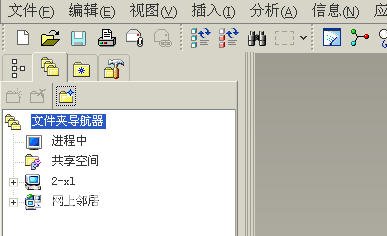
我怎么看不到“国标零件库”这个选项?????
& n" s' G0 x1 n/ z0 _! g. x9 g f1 Z+ ~7 x" ~
不知道哪儿出问题了。
8 Z6 u3 Z+ K6 A& h
, C2 ?1 |9 r$ {- ?) S$ x好心人帮忙解决一下,,^_^
4 K1 V( s4 q1 S; s- D; i% x- G$ ^1 U3 c
[ 本帖最后由 aofaa 于 2006-5-24 20:18 编辑 ] |
-
这是我得国标文件目录

-
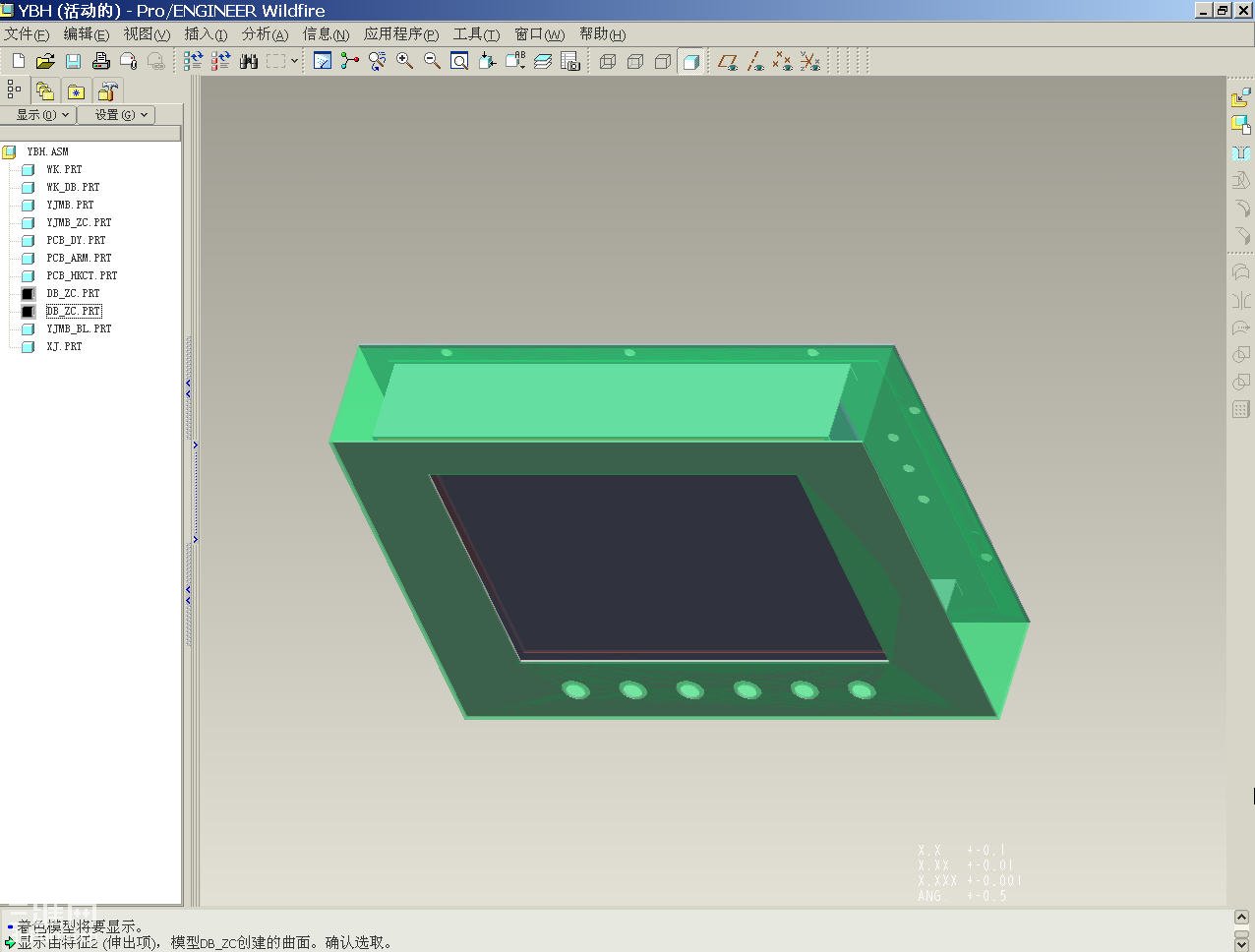
这是我用的proe wildfire版本2004版本,可能就是野火版1。0吧
-
这儿没有国标零件库
|








 发表于 2006-5-24 10:12:14